 By
By I want to be upfront about something: most budgeting app reviews are written by people who’ve used the app for a few weeks, or who are writing comparison content primarily to earn affiliate commissions for referrals. I’ve used five different budgeting apps as my primary financial tool for extended periods over the past few years. These are my actual opinions, including the things I didn’t like about each one.
YNAB (You Need A Budget) — The Serious One
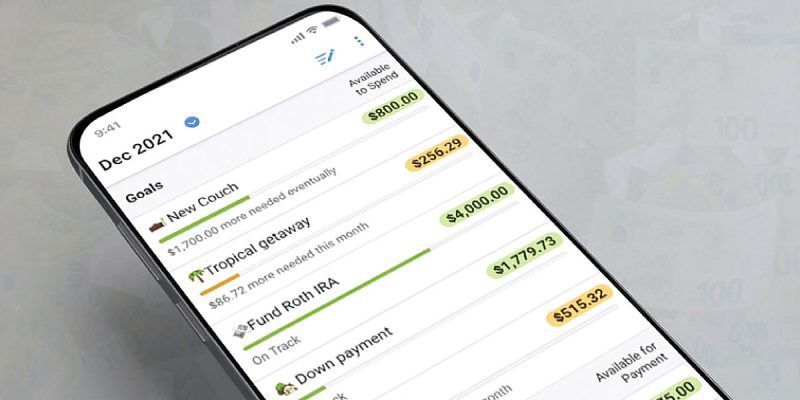
YNAB is built around a specific philosophy — zero-based budgeting — and it forces you to engage with that philosophy rather than just passively tracking spending. Every pound or dollar that comes in must be assigned a job before you spend it. This is genuinely different from most budgeting tools, which show you what you spent after the fact. The learning curve is real — most people need two to four weeks of active use before it clicks. The cost ($109/year in the US, around £80/year in the UK) puts some people off, and reasonably so: you need to be actively engaged with it for the subscription to justify itself. For people who use it properly, the reports of saving more than the subscription cost in the first month are common and credible. I used YNAB for 14 months. It changed how I think about money more than any other tool I’ve used. But I’ll admit I found the ongoing category management tedious by month ten.
Monzo (UK) — The Best Bank for Visible Money Management
Monzo isn’t technically a budgeting app — it’s a bank account with budgeting features built in. But the features are good enough that for many people it replaces the need for a separate app. Spending categorization happens automatically and is reasonably accurate. The Pots feature lets you ring-fence money for different purposes within the same account. Salary Sorter lets you automatically route incoming pay to different pots. Trends (their analytics feature) shows you spending over time by category. The limitations: it only sees your Monzo spending, so if you have multiple accounts or cards, you’re only getting partial visibility. The paid tiers (Monzo Plus, Monzo Premium) add features including credit and other account integration but the free tier is genuinely useful for most people.
Emma (UK/US) — The Aggregator
Emma connects to most UK and US bank accounts, credit cards, and investment accounts and shows everything in one place. The aggregation is the primary value proposition — if you have money spread across multiple accounts, seeing it unified is genuinely useful. The budgeting features are decent but not as deep as YNAB. The subscription tiers (Emma Pro at around £4.99/month) add features including custom categories and broader account connections. I used Emma for eight months and found the account connection reliability inconsistent — banks occasionally revoke open banking access and require reconnection, which creates gaps in data. The categorization needed more manual correction than I’d hoped.
Copilot (US only) — The Pretty One That Also Works
Copilot is US-only and iOS-only, which immediately limits its audience. For those it does reach, it’s the most beautifully designed budgeting app I’ve used — which matters more than it should, because you’re more likely to open and use a tool that’s enjoyable to look at. The automatic categorization is among the best I’ve seen. Account aggregation covers most major US financial institutions. The price ($13/month or $99/year) is towards the high end for a budgeting app. If you’re a US iOS user who wants something that works well and looks great, Copilot is worth the free trial.
Spreadsheets — The Underrated Option
I want to give a genuine recommendation to the humble spreadsheet, which I used for two years before any of the above. A well-built Google Sheets budget template — of which there are many free, high-quality options — does everything most people need. It’s free, it works on any device, your data is yours and not dependent on a company’s continued operation, and you can customize it completely. The limitation is that it requires manual data entry (though you can import CSV bank statements to reduce this). For people who find apps overwhelming or who’ve tried them and given up, a simple spreadsheet is often more sustainable.
What Makes a Budgeting App Actually Work
After using all of these, my conclusion: the app that works is the one you’ll actually open. Sophisticated features are irrelevant if the friction of using the app means you check it once a month. The best budgeting tool is the one that fits naturally into how you already use your phone, has a low-friction daily habit, and shows you information that actually changes your behavior when you see it.
Pros and Cons
Pros: Good budgeting apps make financial visibility genuinely low-effort. Automatic categorization catches patterns you’d miss with manual tracking. Mobile-first design means engagement happens in the real moments of spending.
Cons: Subscription costs add up and are only justified by active use. Account connection reliability varies and creates frustrating data gaps. No app solves the fundamental behavioral challenge — the data is only useful if it changes what you do. Privacy trade-offs of connecting financial accounts to third-party services are real.